Safari 27.0 ships an MCP server, so a coding agent can drive the browser itself
WebKit published the feature list on September 17, 2026, and it is the longest the team has written: 83 features, up from 58 at the first beta in June, and 844 quality fixes against the 525 announced at WWDC. The headline for anyone who builds with a coding agent is the Safari MCP server, which hands the agent the DOM, network requests, screenshots and console output from a real Safari window. Customizable Select turns the real select element into something you can fully restyle, and scroll anchoring stops the page from jumping when content loads in above what you are reading.
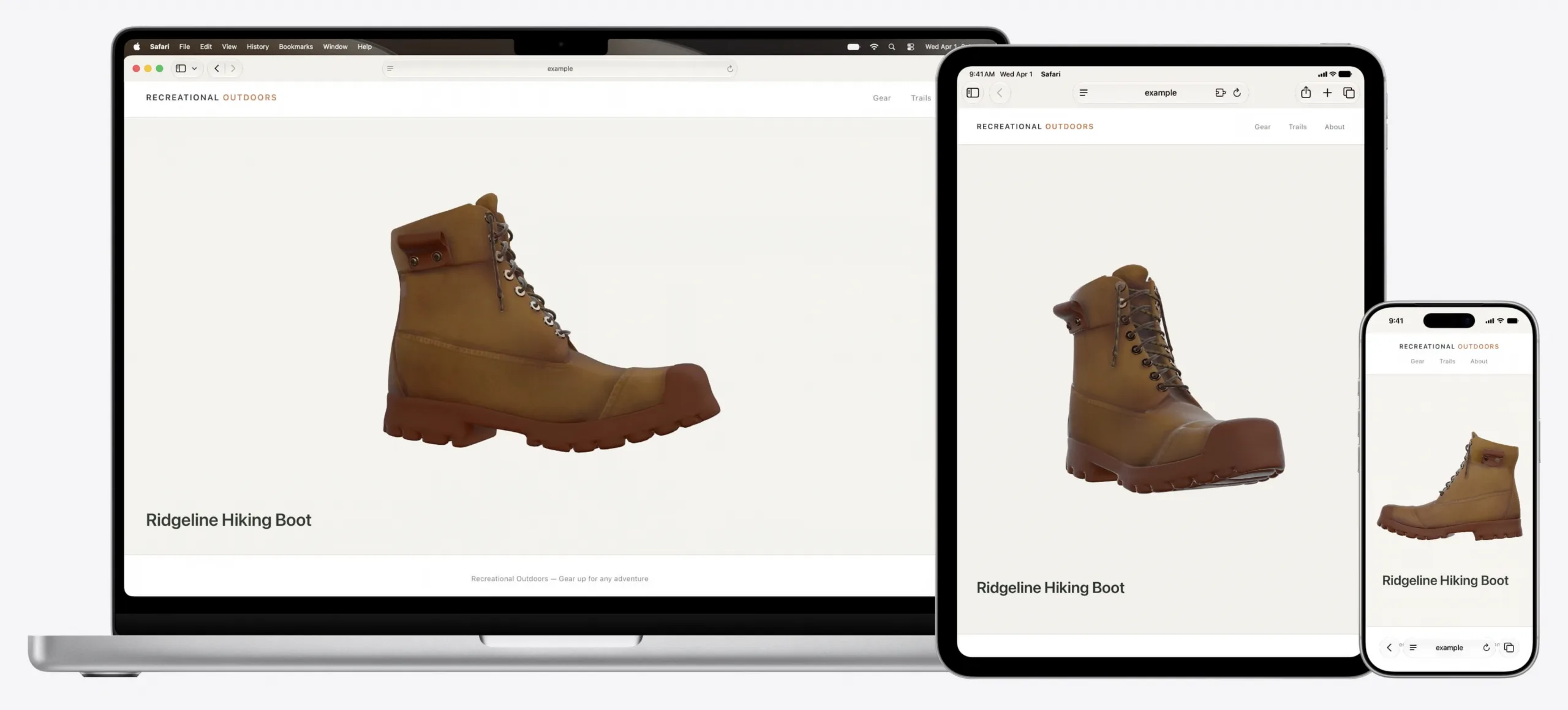
Checking how a page renders in Safari has meant a loop of screenshots, a terminal and a lot of describing. Safari 27.0, documented by WebKit on September 17, 2026, removes that loop: the release ships an MCP server that gives Claude Code, Codex or another agent control of a Safari window. The agent reads the DOM, watches network requests, takes its own screenshots and reads console output, which means it can check its work instead of asking you what went wrong.
What the MCP server gives an agent, and what it does not
The server exposes a real Safari window rather than a headless approximation. WebKit lists verifying user state in forms and checkout flows, comparing computed styles and layout against other browsers, testing for accessibility problems such as missing labels and poor contrast, and reading navigation timing and resource load times. It is switched on in Settings, under the Developer pane, with the option that allows remote automation and external agents.
The privacy boundary is stated plainly: the server runs entirely on your machine, makes no network calls of its own, has no access to your personal information in Safari, and any captured data goes to the agent you are running rather than to Apple. That matters, because a browser automation tool is by construction pointed at whatever you happen to be signed in to.
The select element finally takes styling
Applying appearance: base-select switches the real <select> to the new control, with user-agent styles that WebKit redesigned over the summer rather than leaving developers to rebuild the basics. Those defaults cover the drop shadow, 4px rounded corners, touch-friendly line height, hover states, chevron and checkmark, light and dark modes, forced colors and disabled states. WebKit took the design to the CSS Working Group so that every browser can converge on the same starting point.
New pseudo-elements ::picker-icon and ::checkmark target parts of the control that could not be styled before, HTML elements can be placed inside each <option>, and <selectedcontent> controls what is shown for the currently selected option. Because it is still a real form control, keyboard navigation, screen reader support, form submission, validation and change events keep working without any JavaScript.
Layout, images and the quality pass
Scroll anchoring is the change most readers will feel without knowing its name. When something loads in above the viewport, Safari now adjusts the scroll position so the content stays where it was, instead of pushing the reader down the page. It needs no code on your side; overflow-anchor defaults to auto, and none opts out where a page genuinely needs the old behavior.
- The
stretchkeyword works with width, height, the min and max variants andflex-basis, and unlikewidth: 100%it accounts for margins, so it does not overflow. sizes="auto"on a lazily loaded image lets the browser compute the size from the actual layout width, so you no longer have to predict it.- The HTML
<model>element, on visionOS for a year, now works in Safari on iOS, iPadOS and macOS, with multiple<source>files and an<img>fallback. - CSS gains
alpha()for adjusting only the alpha channel,color-mix()with more than two colors,image(<color>)as a real image layer,light-dark()accepting images, the:headingpseudo-class and therevert-rulekeyword.
„The MCP server runs entirely on your local machine. It makes no network calls of its own.“
Related
Safari Technology Preview 252 adds named-feature() and lets SVG reach a filter in another file
The preview build came out on September 11, 2026 and covers WebKit changes between 319252@main and 320112@main. Eleven features are new, and two of them extend the same job: how a stylesheet, and then a script, finds out what the engine underneath can do. The named-feature() function asks about a behavior that has no syntax of its own, and the registry behind it holds exactly two entries today. SVG also gained external resources, so the url() reference can finally point at a filter, mask or gradient stored in another document.
WebKitverified
Interop 2027 proposals close on September 23, and untested ideas do not qualify
The call for Interop 2027 Focus Area proposals opened on September 3, 2026 and closes on September 23, 2026. Proposals are filed as issues on the web-platform-tests/interop repository, and two conditions decide almost everything: the technology must already have a mature standard, and it must be testable, because the test results are what the dashboard scores. Anything that fails the second condition is steered toward an Interop Investigation instead. Twenty days is the whole window, and the evidence a good proposal needs takes longer than an evening to assemble.
WebKitverified
Safari 27 fixes top-level await, after WebKit rewrote the module loader in C++
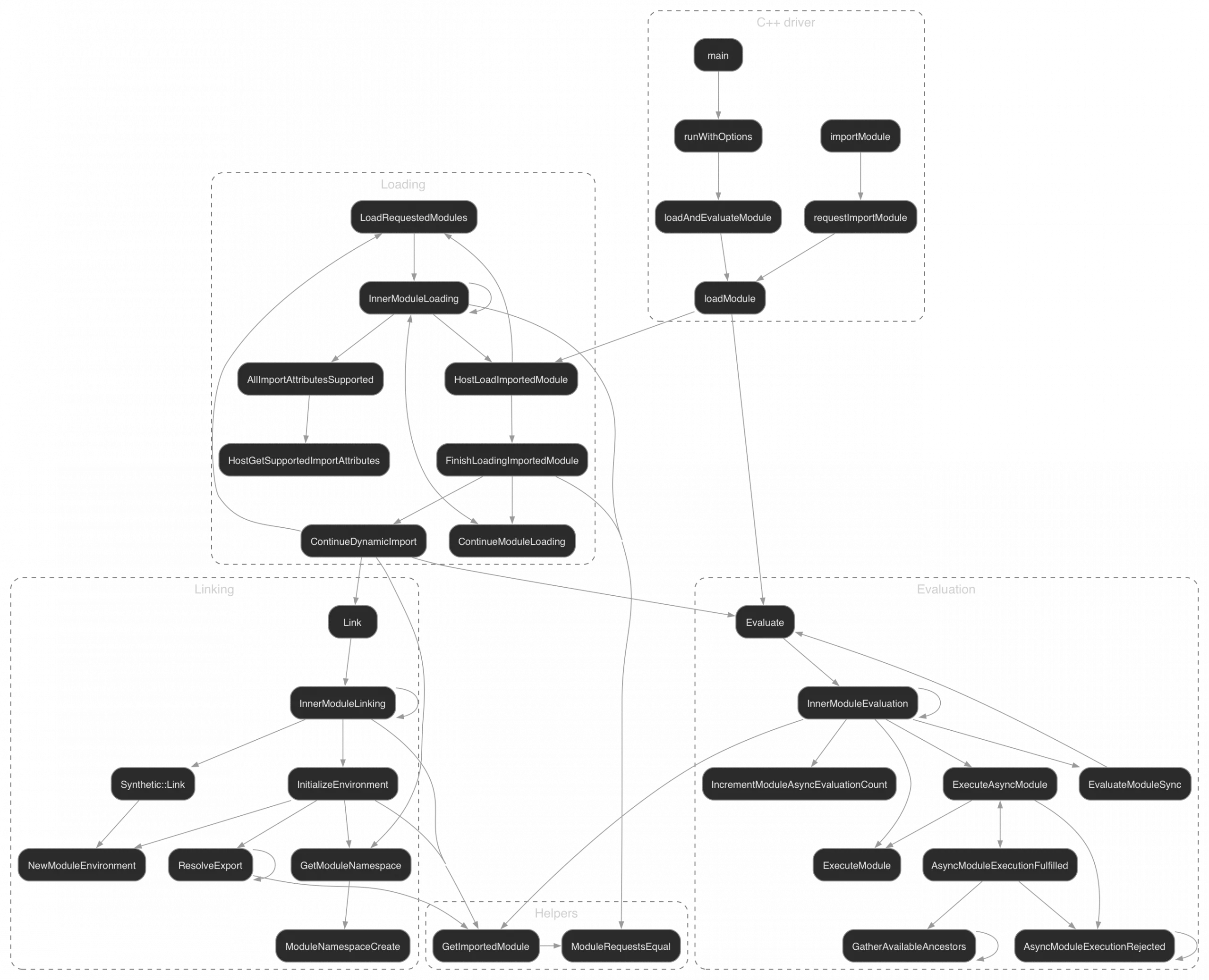
WebKit published the fix on September 2, 2026. Dynamic imports of a module that uses top-level await could complete out of order in Safari, and an importer that ran early hit an error about accessing a value before initialization. The cause was a module loader built on the abandoned WHATWG Loader proposal rather than on the algorithms in the ECMAScript standard. WebKit rewrote the loader from self-hosted JavaScript into native C++, and the result ships in Safari 27 and in Safari Technology Preview 251.
WebKitverified