Claude can now install artifacts as Mac and Windows apps, and some can ask for full access
Anthropic has begun rolling out a beta that turns a Claude artifact into an app with its own window and icon. It covers macOS and Windows on plans from Free to Enterprise. With the user's permission, an app can show notifications, sit in the menu bar, or get full access to the computer. Anthropic says it does not review the apps before installation.
Claude can install an artifact as an app on a Mac or Windows computer, according to release notes Anthropic published on November 24, 2026. An artifact is something Claude makes in a chat, such as a small program or an interactive page. What changes is how far it can reach: with permission, an installed app can run programs and read, change, or delete files on the computer. The feature is in beta and is rolling out gradually.
The user describes the app in a chat, for example a menu bar timer or a tool that renames photos by date. The artifact is then opened in the main Claude Desktop window, where "Install as app" is selected and the installation confirmed. Claude for Mac or Claude for Windows has to be at version 6.28899.0 or later.
The installed app is still the same artifact, so an edit by its owner or another editor changes the app too. It opens only when the user is online and signed in to Claude Desktop. Requests the app sends to Claude count toward the plan's usage limits.
What an app is allowed to do
There are five permissions: notifications, keyboard shortcuts, drawing over other windows, a menu bar or system tray item, and full access to the computer. An approval covers one version of the app, so Claude asks again after every update. Code that the app loads from another site is the exception, because it can change without a new request.
Full access is the highest tier. An app that has it can run any program and read, change, or delete files without asking each time. Anthropic advises granting it only to users who trust everyone who wrote the app. Claude generally does not let an app request full access when someone outside the organization wrote part of it. On Free, Pro, Max, and Ultra plans, that means anyone other than the user.
Plans and limits
On Team plans the feature is on by default, but full access stays off until an admin enables it. On Enterprise plans the whole feature is off until an owner turns it on.
Apps do not work on Linux, on the web, or on phones. Artifacts made from a template, such as Docs, Slides, or Sheets, cannot be installed. Organizations with a setup for HIPAA, the US health privacy law, are excluded. Organizations that use zero data retention for Claude Code can have an owner turn installation on, but the apps are not covered by that protection.
Sending files to connected apps
The same release notes list a beta of file transfers through connectors, the links between Claude and other services. Claude can send a file to a connected app or save one that the app offers. The rollout is gradual on Pro, Max, and Ultra plans. On Team and Enterprise plans transfers are off until an owner enables them, and the Free plan will follow.
Claude asks before it sends the first file to each app, even when the connector tool is set to be always allowed. After that it may send files without asking, depending on the settings. In chats, up to 10 files can be sent at a time, with a total of 500 MB. Transfers work only with connectors from the official directory whose developers added file support.
Anthropic warns that a file from an app can contain text written to mislead Claude, and it advises connecting only apps the user trusts.
„Anthropic doesn't review apps before you install them.“
Sources
Once a week, in your inbox
The whole week's news, gathered into one email. No ads, no passing your address on, one-click unsubscribe.
The address is used only for this roundup. It is not sold and not passed to anyone.
Related

Meta brings its Muse agent to the UK, with AI training on interactions switched on by default
Meta's personal AI agent is now open to UK adults on phones, the web, and WhatsApp. It is free, with paid plans whose prices the announcement does not give. A setting that lets Meta use interactions with Muse to develop its AI is on from the start, and users can turn it off.
Metaverified
GPT-6.2 arrives in ChatGPT's Chat tab for Plus, Pro, Business, and Enterprise plans
Paid ChatGPT plans are getting a version of GPT-6.2 tuned for everyday conversation. OpenAI reports large gains in understanding images and following instructions, all from its own tests. The system card published the same day also shows a step back: the model sticks to its default behavior more often when a user asks for something else.
OpenAIverified
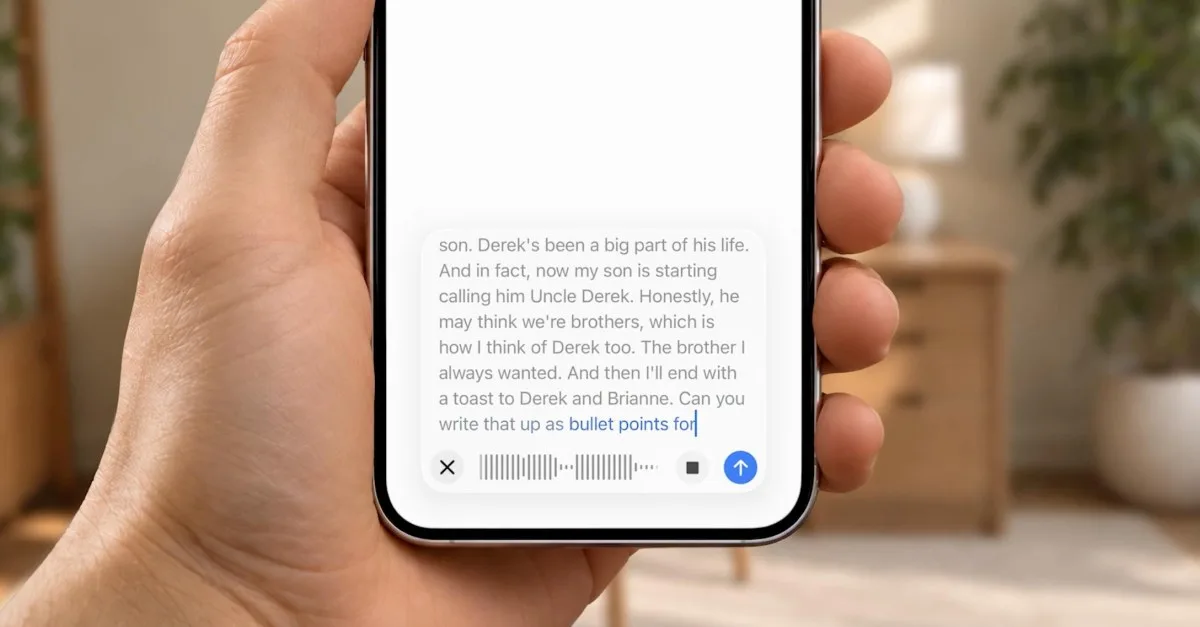
ChatGPT now transcribes dictation as you speak and drops the 10-minute limit
OpenAI has rolled out Live Dictation in ChatGPT on every plan. Speech becomes text while the user is still talking, and recordings are no longer capped at 10 minutes.
OpenAIverified