Memory sets what you can run locally, and price per token sets whether you should
A local model has one hard requirement before speed, quality or license enter the discussion: the weights have to fit in memory. That turns the machine question into arithmetic you can do on paper, and Apple's August 25 desktops give you three price points to do it against — $899 for a 32GB ceiling, $2,499 for 128GB, $5,499 for 512GB. This guide works through what fits where, which runner to use, what each size class is good for, and how many tokens it takes before a machine beats paying by the token.
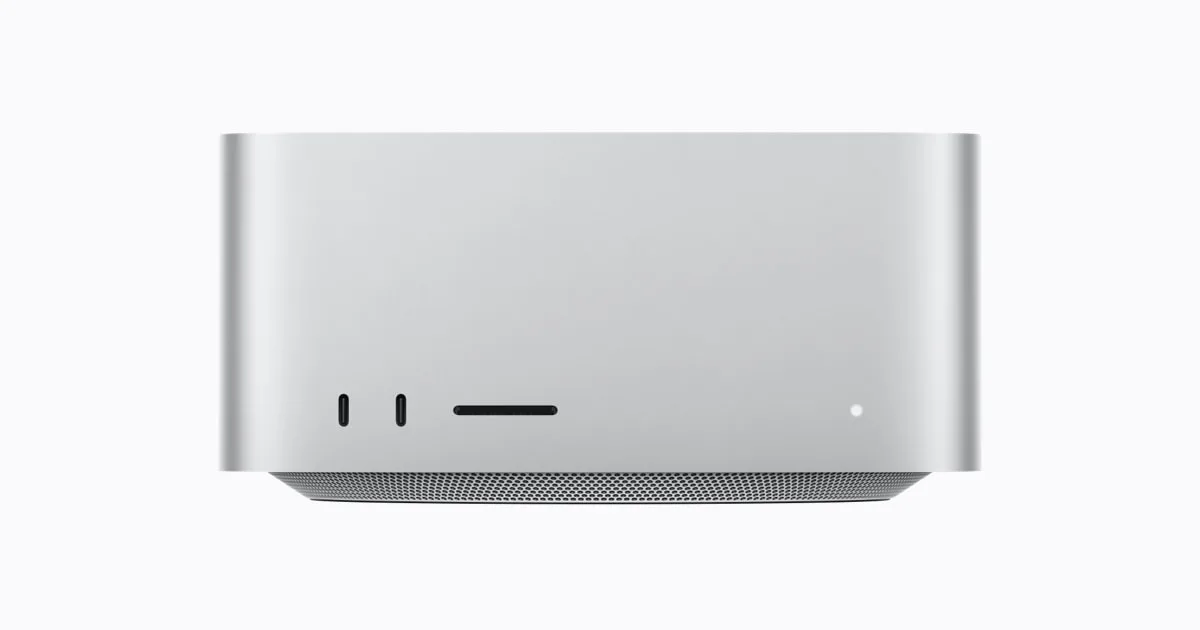
Source
Apple introduces new Mac Studio with M5 Max and M5 UltraApple Newsroom · Original published August 27, 2026
Ask which local model is best and you get opinions. Ask which one fits and you get a number. Parameter count, quantization and memory multiply into a single answer, and every other question — how fast, how good, which runner — comes after it. Every figure below is checked against the vendors' own pages. The arithmetic is ours, and it is marked as ours.
Memory is the ceiling
Take the parameter count, multiply by the bytes each parameter occupies, and you have the floor for what the model needs before it does any work at all. At four bits that is half a byte per parameter, so — our figure, not a vendor's — roughly 0.5GB per billion parameters. At sixteen bits it is two bytes, so roughly 2GB per billion. An 8-billion-parameter model at four bits wants about 4GB. A 30-billion one wants about 15GB, 120 billion wants about 60GB, and 600 billion wants about 300GB.
The context window then takes its own share on top of that, and that share grows with how long the conversation runs. It is not in the arithmetic above, and on long inputs it is not small, which is why a model that fits exactly on paper tends not to fit in practice. Leave headroom and read the numbers above as a floor rather than as the requirement.
Quantization is what makes that first column possible at all. llama.cpp publishes integer formats from 1.5-bit up to 8-bit. This guide computes at four bits because that is the middle of the range; the lower formats trade output quality for memory, and neither project publishes how much as a number.
What fits on what
Apple announced new desktops on August 25, 2026, and priced them by memory. Mac mini with M6 starts at $899 with 16GB as standard, configurable to 32GB, at up to 170GB/s. The M5 Pro configuration starts at $1,699 and goes to 64GB at 307GB/s. Mac Studio with M5 Max starts at $2,499 and goes to 128GB at up to 614GB/s. Mac Studio with M5 Ultra starts at $5,499 and goes to 512GB at 1.2TB/s, which Apple states is 50 percent higher than M3 Ultra.
Put that against the arithmetic above and the line reads as three tiers. On our figures, 32GB holds a 30-billion-parameter model at four bits with room left for context. 128GB holds a 120-billion one without strain. 512GB holds 600 billion in one piece, with nothing split across machines, and Apple's own claim for M5 Ultra is that it runs huge LLMs with hundreds of billions of parameters entirely on device.
A PC with a discrete Nvidia card behaves differently, and that difference matters more than any single figure. Unified memory means the CPU and the GPU address the same pool, so the model's ceiling is the machine's memory. A discrete card has its own separate memory, and that is the ceiling — not system RAM, which helps only by holding the overflow, and at a speed penalty. Read how much memory a given card has off the manufacturer's own specification page before you buy for a model size, because the figure is per card and moves between generations.
What actually runs it
Four names cover nearly all of it, and they are not four alternatives to the same job.
- Ollama is the runner most people start with: a background service plus a model library, driven from the command line, where ollama run pulls a model and starts a session. Its own blog is where support for new models lands, and on August 25, 2026 it added configuration for Claude Desktop to use Ollama as a third-party gateway provider, so a desktop app you already have can point at a local model.
- llama.cpp is the engine underneath much of the rest. Its stated goal is LLM and VLM inference with minimal setup and state-of-the-art performance across the hardware it supports, locally and in the cloud. It ships backends for CUDA, Metal, Vulkan, HIP and SYCL, along with hybrid CPU and GPU inference. Reach for it when you want the flags rather than the convenience.
- LM Studio is the desktop application: a graphical way to download a local model, run it and talk to it, running on both the llama.cpp and MLX engines underneath. Take it when the person at the keyboard is not going to open a terminal.
- MLX is Apple's array framework for machine learning on Apple silicon. Its distinguishing property is the unified memory model: arrays live in shared memory, and operations run on any supported device without transferring data. On a Mac it is the path that treats the memory ceiling as the real ceiling.
What each size is good for
Size classes are a rough map of the shape of the job, not a ranking. What follows is where we would start, not a measurement.
- Three to eight billion parameters: classification, tagging, extraction against a fixed schema, completion, and stripping personal data before text leaves the machine. This is the class you can run per keystroke or per row, and it fits on a laptop with memory left for everything else.
- Around 30 billion: drafting and rewriting, summarizing long documents, answering questions over your own notes, and code edits inside a single file. This is where a 32GB ceiling stops, and it is the largest class that fits on the cheapest machine above.
- Around 120 billion: multi-step agent work where the model has to hold a plan, and code changes that span several files. It wants a 128GB machine, which is the middle of Apple's line.
- 600 billion and up: the class the 512GB machine is sold for. The reason to run it at home is not speed but that the whole job stays on one machine.
When local does not pay
The honest comparison is not machine price against a monthly subscription. It is machine price against what the same work costs by the token from a provider serving the same open weights. Those prices sit in our table of open models. The arithmetic below is ours, and the unit of work is one million input tokens plus 250,000 output tokens, which is roughly the shape of a chat or an agent task.
A Mac mini with M6 costs $899 and tops out at a model of about 30 billion parameters. Qwen3.8 27B is served on OpenRouter at $0.425 per million input tokens and $2.55 per million output, so one unit costs $1.0625. The machine pays for itself after about 846 units — roughly 846 million input tokens and 212 million output tokens.
A Mac Studio with M5 Max costs $2,499 and holds a 120-billion model. gpt-oss-120b is served on OpenRouter at $0.037 per million input and $0.17 per million output, so a unit costs $0.0795. Break-even lands at about 31,434 units — roughly 31.4 billion input tokens and 7.9 billion output. The machine is less than three times the price of the mini and the break-even is thirty-seven times further out, because what decides it is the model's price per token, not the machine's price.
Turn that around with the most expensive row in our open-models table. DeepSeek V4 Pro costs $1.32 per million input tokens and $3.96 per million output at its maker's peak rate, so a unit costs $2.31. Against a Mac Studio with M5 Ultra at $5,499, break-even falls to 2,381 units — roughly 2.4 billion input tokens and 595 million output. Run the same work off-peak, where DeepSeek charges exactly half, and break-even moves to about 4,761 units. The most expensive machine in the line recovers its price in the fewest tokens, because the work it is bought for is the work that costs the most to rent.
Four things this arithmetic leaves out, all of them against the local machine. Electricity is not in it. Neither is your time, and a local runner asks for some. The machine serves one request at a time until you build for more, while the per-token price already includes someone else's batching. And the per-token price falls over time, while the machine you bought stays the machine you bought.
Which is why break-even is not why people go local. The reason is that the data never leaves the machine. Apple sells the Mac Studio on exactly that: running massive models entirely on device with complete privacy, without counting tokens or worrying about rising cloud costs. If your input is patient records, unreleased code or a client's documents, the arithmetic above is not the argument. It is only the price of the argument you already made.
„run huge LLMs with hundreds of billions of parameters entirely on device“
Sources
- Apple unveils a more powerful Mac mini featuring the all-new M6 and M5 Pro
- Apple introduces M6 and M5 Ultra for a big leap in performance and AI compute
- llama.cpp — LLM inference in C/C++
- Claude Desktop support with Ollama
- LM Studio blog
- MLX — an array framework for Apple silicon
- gpt-oss-120b on OpenRouter
- Qwen3.8 27B on OpenRouter
- DeepSeek API pricing
Related
llama.cpp 0.4.0 adds four model architectures, an Apple RDMA transport, and video flags
The 0.4.0 release landed on September 4, 2026, and it is a numbered version rather than one of the nightly builds. It adds initial support for Qwen3.8-Flash-Next, NVIDIA Nemotron-3-Puzzle-75B-A9B, DSpark on Nemotron 3.5, and nanbeige4.2-3B. Apple RDMA becomes an RPC transport, video arrives as command-line options, and the quantizer gains a memory ceiling. Two server defaults changed, and saved session state carries a new version number.
llama.cppverified
NVIDIA's free PAIR beta sends local inference to whichever machine on your network is free
NVIDIA published the Personal AI Router at IFA 2026 on September 3, 2026. It is a free, open source tool for Windows, macOS, and Linux that finds compatible machines on your local network and routes each independent inference request to one that has capacity, so parallel agent subtasks stop queueing behind a single GPU. It works with Ollama and LM Studio, and supports GeForce RTX 20 Series and newer, RTX PRO workstation cards, DGX Spark, and Apple M4 silicon. What it does not do is pool memory, so a model that does not fit on one machine still does not fit.
NVIDIAverified
Hugging Face published 207 WebGPU kernels and a loader that pulls them from the Hub
The @huggingface/kernels package downloads one GPU operation from the Hub and runs it in a browser that supports WebGPU. All 207 kernels are Apache-2.0, and each one is published with its interface contract, correctness cases, and benchmark cases in the same repository. Hugging Face compared them with ONNX Runtime Web 1.30.0 on an Apple M4 GPU and reports a 2.57x geometric mean speedup across 809 comparable cases. The timings cover work on the GPU alone, for single operations rather than whole models.
Hugging Faceverified