Shopify launches Canvas, where merchants build a store theme by chatting with Sidekick
Shopify announced Canvas on October 1, 2026. It is a workspace that shows every page of an online store side by side and lets Sidekick, the company's AI agent, build or change the theme from a description. Shopify says Canvas renders the store's real code, not a static preview. The Help Center lists it as early access for certain stores, on desktop only, and only for Shopify's own themes and custom themes. A theme edited in Canvas stops receiving theme updates and cannot be downloaded, which matters if you build or maintain themes for clients.
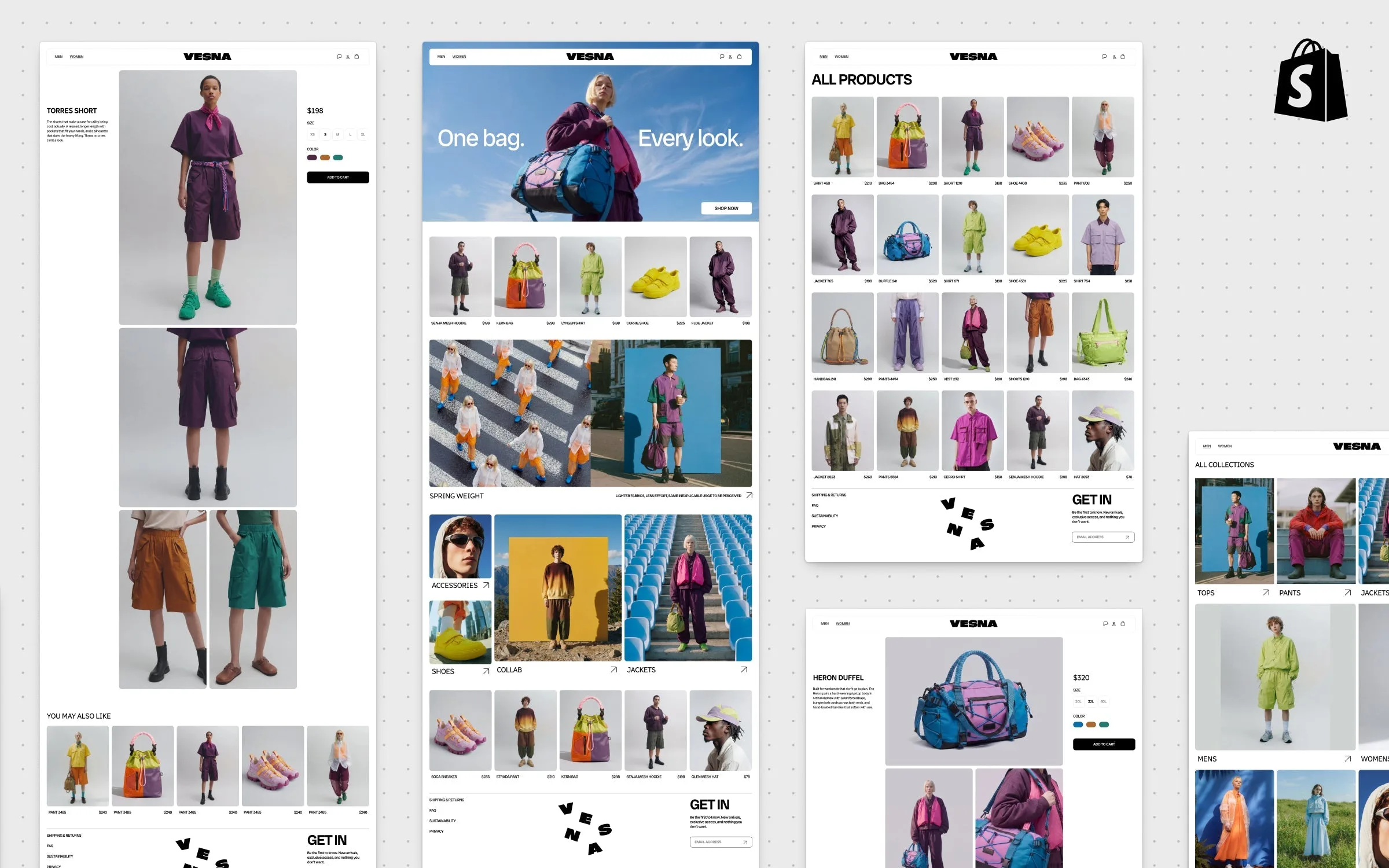
Source
Shopify debuts Canvas, a way to build online stores by chatting with AITechCrunch AI · Original published October 1, 2026
Shopify presents Canvas as a way to get a custom store without writing code or hiring someone who can. The Help Center pages published alongside the announcement are more specific. They say who can use Canvas and what a theme loses once it has been edited there.
What Canvas is
Canvas is a new design workspace in the Shopify admin, started from the Themes page. It lays out all of a store's templates together, so you can move across the pages and zoom in on details. You can click an element and change it directly, or describe the change to Sidekick in a chat. Sidekick's changes show up in Canvas as it makes them.
Shopify says the view is a render of the real code behind the store, not a static preview. Each page can be tried with full interactivity and animation, and key pages can be shown with different products, collections, and screen sizes.
According to the Help Center, you can use Canvas to build a new theme from a description of your brand, or to try changes on a copy of an existing theme. You can also ask Sidekick for a change that a block's settings do not offer.
How Sidekick works on a theme
Sidekick now works directly on the theme's files, guided by instructions and skills written for building stores. Shopify says it also simplified theme architecture, so that the structure, logic, and design of a store are easier for the agent to understand and change. While it builds, Sidekick validates its own code and reviews screenshots of the result. It repeats that loop before it hands the work back to the merchant.
The agent is not new to this work. Shopify says Sidekick made more than 25 million edits to themes in the first half of 2026.
Who can use it
The Help Center marks Canvas as early access, available only to certain stores. The announcement of October 1, 2026, says it will reach merchants gradually over the following days. The requirements are:
- A desktop device. Canvas is available only on desktop.
- A plan that includes theme customization. On a plan without it, you can view themes edited in Canvas, but you cannot edit or publish them.
- A theme developed by Shopify, or a custom theme. Third-party themes are not supported.
- For store staff, the Edit code permission for themes.
What a theme gives up in Canvas
The same page lists limitations that apply to themes edited in Canvas:
- The theme no longer receives theme updates.
- The theme's files cannot be downloaded.
- App blocks and app embeds cannot be added or configured in Canvas.
- Theme content cannot be translated in Canvas. Shopify points to its Translate & Adapt app for that.
- The theme cannot be customized for different markets in Canvas.
- A new block cannot be added by hand. You ask Sidekick to add it.
- A theme edited in Canvas can replace the main theme in a rollout, but it cannot be edited through the rollout.
What Shopify says about the gaps
Ben Sehl, director of product at Shopify, says in the announcement that Canvas is not replacing the existing theme editor yet and that gaps remain. TechCrunch reports that Shopify told it support for the missing pieces, including third-party themes, app blocks, markets, and translations, is planned over time. The Help Center gives no date for any of them.
„We’re early here and Canvas is not replacing the existing editor yet.“
Sources
Once a week, in your inbox
The whole week's news, gathered into one email. No ads, no passing your address on, one-click unsubscribe.
The address is used only for this roundup. It is not sold and not passed to anyone.
Related

Meta brings its Muse agent to the UK, with AI training on interactions switched on by default
Meta's personal AI agent is now open to UK adults on phones, the web, and WhatsApp. It is free, with paid plans whose prices the announcement does not give. A setting that lets Meta use interactions with Muse to develop its AI is on from the start, and users can turn it off.
Metaverified
Claude can now install artifacts as Mac and Windows apps, and some can ask for full access
Anthropic has begun rolling out a beta that turns a Claude artifact into an app with its own window and icon. It covers macOS and Windows on plans from Free to Enterprise. With the user's permission, an app can show notifications, sit in the menu bar, or get full access to the computer. Anthropic says it does not review the apps before installation.
Anthropicverified
GPT-6.2 arrives in ChatGPT's Chat tab for Plus, Pro, Business, and Enterprise plans
Paid ChatGPT plans are getting a version of GPT-6.2 tuned for everyday conversation. OpenAI reports large gains in understanding images and following instructions, all from its own tests. The system card published the same day also shows a step back: the model sticks to its default behavior more often when a user asks for something else.
OpenAIverified