ChatGPT plugins can now run as sidebar apps and react to events from connected tools
OpenAI opened the interface layer it uses for its own ChatGPT features to outside developers. A plugin can now claim a place in the sidebar, open a panel beside a conversation, and act as the viewer for its own file types. A separate MCP Events integration lets a plugin start an automation when something happens in a connected app, which requires MCP 2.0 and webhook delivery. Sign in with ChatGPT lets a Plus or Pro allowance be spent in 16 partner tools.
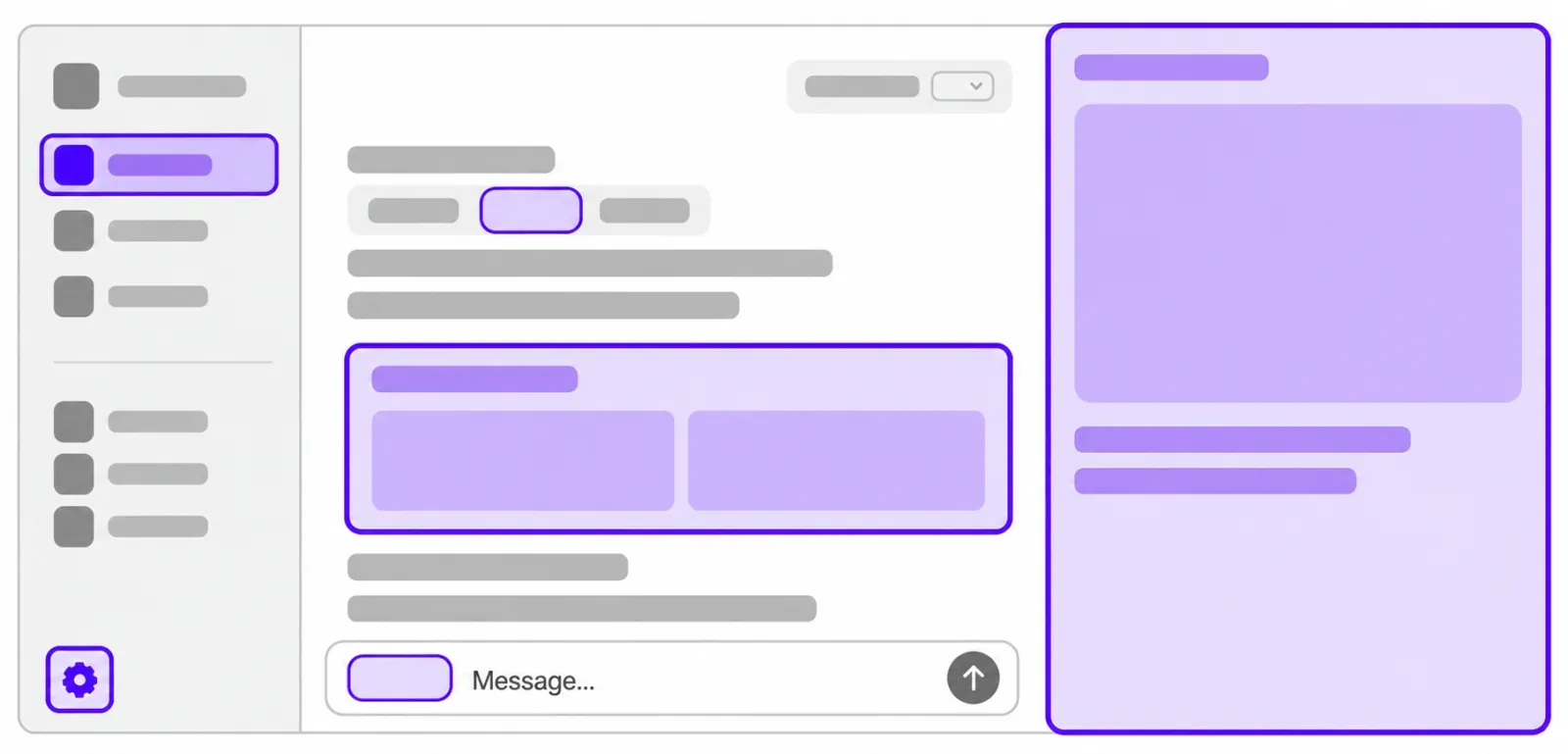
OpenAI announced plugin extensions for ChatGPT at DevDay on September 29, 2026. Until now a plugin connected ChatGPT to an outside tool and answered inside the conversation. With extensions, the same Model Context Protocol (MCP) server can describe an app that lives in the ChatGPT interface, for a stated 1.2 billion weekly users.
What an extension can do
The extension reference lists nine surfaces. A sidebar app opens the plugin fullscreen from the global sidebar. A conversation panel opens it beside a chat. Plugin settings live inside ChatGPT. File viewers and editors take over files with the extensions a plugin declares, with reading, live updates, and saving handled together. Display modes choose where the app appears, deep links jump to a specific item, and model-app context keeps the model and the app in sync in both directions. Composer mentions, available only in the desktop app, let a user pick content from the plugin while typing. Rich forms ask for structured input or a choice among images.
Registration is a few lines of metadata on an MCP tool: the openai/ui block names the entrypoint type, such as global for the sidebar or file with a list of extensions for a viewer. OpenAI publishes a TypeScript SDK, a Python SDK, and the specification in the openai/mcp-extensions repository, described as an extension of the MCP and MCP Apps specifications. Extensions are available on all plans; on the web they are still coming for Free and Go users.
Events: a plugin that starts work on its own
MCP Events lets ChatGPT subscribe to updates from an MCP server, such as a new message or a new comment, and run the user's instructions when one arrives. The example OpenAI gives is watching a project board for new tasks and drafting a plan from the linked documents while the user is away.
The integration requires MCP 2.0, protocol version 2026-07-28. It supports only webhook delivery with callback verification and a signing secret. Polling, streaming, and the draft's gap and terminated control notifications are not supported. The server advertises an events capability and implements events/list, events/subscribe, and events/unsubscribe on the same authenticated endpoint as its tools.
The specification itself is still a proposal. It comes from the triggers and events working group of the Model Context Protocol project and is not an adopted part of the standard. A server built for ChatGPT today follows a draft that can still change.
Building, listing, and hosting plugins
A Plugin Creator tool helps build a plugin, and the submission flow to the directory was redesigned to give clearer feedback. OpenAI says ranking and recommendations in the directory and inside conversations were improved. Users choose which plugins to use and approve the access each one receives, one by one.
ChatGPT Sites, the lightweight sites users build in ChatGPT, can now host supported plugins. Colleagues in the same workspace use the same app with their own connected data and permissions. That option is limited to Business, Enterprise, Healthcare, and Edu plans.
One ChatGPT plan across 16 tools
Sign in with ChatGPT lets a subscriber spend their plan allowance in outside tools and set how much each may use. OpenAI names 16 partners, including Cognition's Devin, Notion, Vercel, T3, OpenClaw, and Dactyl. Eligible usage counts toward the plan's limits. The identity part is available globally; using plan allowance in partner tools is available to Plus and Pro subscribers in participating tools.
„We're opening the platform we use to build ChatGPT features so developers can create their own experiences within ChatGPT.“
Sources
Related
Browser agents can now fill in and submit Shopify checkout, but the buyer still confirms the order
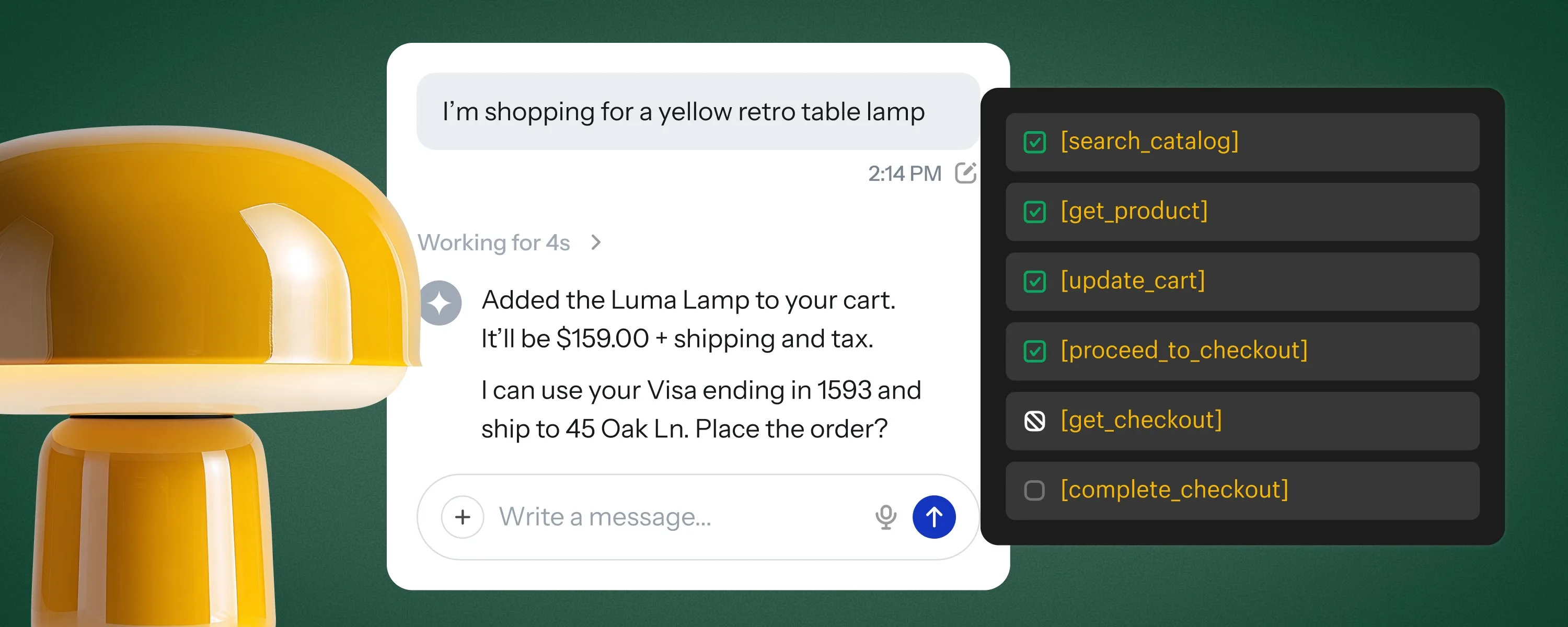
Shopify added WebMCP tools to its checkout on September 28, 2026. An AI agent running in the buyer's browser can read the checkout, change the address, delivery option, discount codes, and payment choice, and place the order once the buyer approves it. Merchants do not have to configure anything.
Shopifyverified

Anthropic opens a portal for submitting plugins to the Claude directory
Anthropic opened a submission portal for the Claude directory on September 25, 2026. Developers on paid Claude plans can submit a single MCP connector or a plugin bundle, follow its review, and see usage data once it is live. Existing listings need no changes.
Claude Blogverified

Claude Tag can now use your own connectors when you ask it something in a Slack channel
Anthropic announced on September 24, 2026, that Claude Tag can use the connectors of the person who makes a request in a Slack channel. Until now it could reach only the connectors an administrator attached to the channel. The feature is rolling out on Team plans, with Enterprise to follow.
Claude Blogverified